
What’s an Ebook? Formats, Examples, and How to Publish One
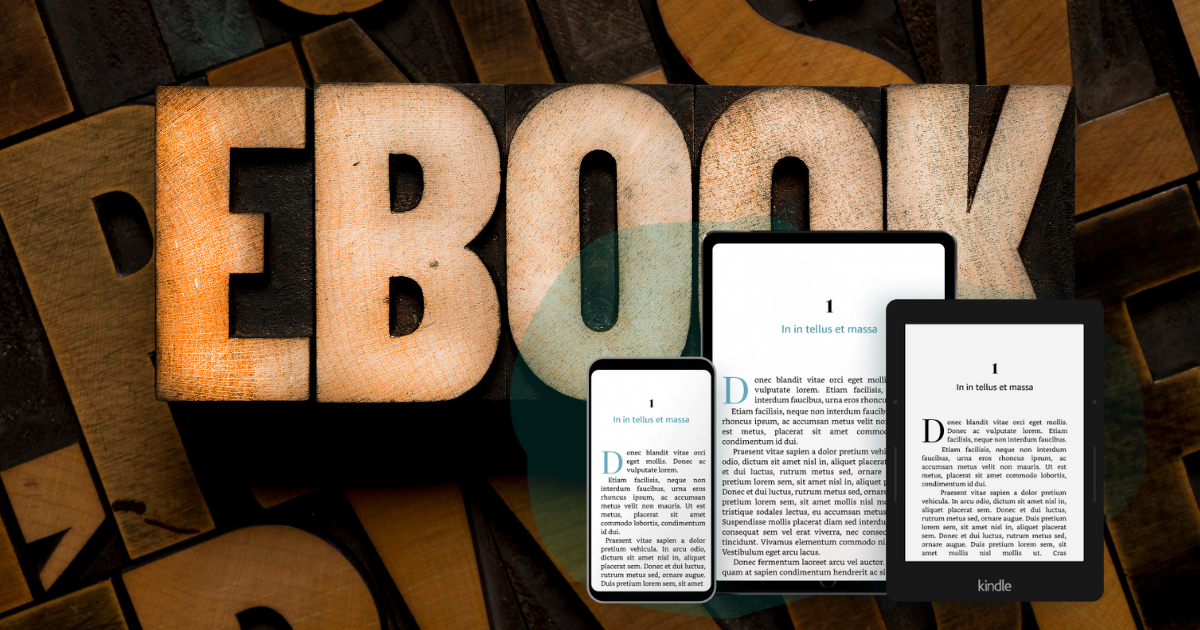
An ebook is a digital book designed to be read on electronic devices such as e-readers, tablets, smartphones, and computers. Unlike a simple document, a professionally prepared ebook is usually created in a format such as EPUB so the text can adapt to different screen sizes, reading apps, font settings, and accessibility needs.
For authors and publishers, understanding what an ebook is also means understanding how a manuscript becomes a finished digital product. A strong ebook needs clean formatting, the right file type, complete metadata, a professional cover, accessibility information, and a distribution plan that helps readers find it across online stores and libraries.
What Is an Ebook?
An ebook, short for electronic book, is a book published in digital form. Readers can open ebooks on dedicated e-readers such as Kindle, Kobo, or Nook, as well as on phones, tablets, laptops, and desktop computers through reading apps.
The main difference between an ebook and a regular digital document is that an ebook is prepared for reading, distribution, and sale. It is usually structured so readers can change the font size, adjust spacing, search inside the book, highlight text, use a clickable table of contents, and continue reading across different devices.
For most authors and publishers, the most important ebook format is EPUB. EPUB files are widely accepted by ebook stores and library platforms, and they are designed to support flexible reading experiences. PDF files can also be read digitally, but they behave more like fixed pages than flexible ebooks.
What Does an Ebook Look Like?
An ebook can look different depending on the device, app, screen size, and format. On an e-reader, it may look similar to a printed page. On a phone, the same ebook may show fewer words per screen, larger text, or a different font chosen by the reader.
This flexibility is one of the main advantages of ebooks. A reader can increase the font size, use dark mode, search for a specific word, click links, open the table of contents, and use accessibility features such as text-to-speech or screen readers when the ebook is properly prepared.
Key Ebook Features
1. Ebooks are usually not editable by readers
A finished ebook is not meant to be edited by the reader. Readers can highlight passages, add notes, and bookmark pages, but they cannot easily change the original text. This protects the published version and gives stores, libraries, authors, and publishers a stable file to distribute.
2. Most ebooks use reflowable text
Most standard ebooks use reflowable text. This means the words adjust automatically to the reader’s screen size and settings. If a reader increases the font size, the pages rearrange themselves.
This is why ebook page numbers often differ from print book page numbers. A chapter may take 10 screens on one device and 20 screens on another, depending on the reader’s settings.
Reflowable ebooks are especially useful for novels, memoirs, general nonfiction, business books, self-help books, and most text-based titles.
3. Some ebooks use fixed layout
Fixed-layout ebooks keep the page design in a specific arrangement. This can be useful for children’s books, cookbooks, comics, graphic novels, textbooks, illustrated books, and other books where image placement and page design are essential.
The tradeoff is that fixed-layout ebooks are usually less flexible on small screens. They may look beautiful on tablets but can be harder to read on phones or smaller e-readers.
4. Good ebooks support accessibility
A modern ebook should be easy to navigate, resize, and understand through different reading technologies. This is especially important because accessibility is now a major part of digital publishing, particularly for books sold or distributed in the European Union.
The European Accessibility Act requires digital products and services, including ebooks, to meet accessibility standards in the EU. For publishers, this means ebook files should be structured in a way that supports readers who use assistive technologies.
Ebook vs. PDF vs. Print Book
Authors often ask whether an ebook is the same as a PDF. The answer is no. A PDF is a digital file, but it is not always the best format for professional ebook publishing.
| Format | Best for | Reader experience | Common use |
|---|---|---|---|
| EPUB | Most ebooks | Reflowable and flexible | Novels, nonfiction, memoirs, business books, and most digital books |
| Fixed-page documents | Layout stays the same on every device | Workbooks, reports, print-ready files, and visual documents | |
| Fixed-layout EPUB | Visual books | Designed pages with limited flexibility | Children’s books, comics, cookbooks, textbooks, and illustrated books |
| Print book | Physical reading | Fixed printed pages | Paperbacks, hardcovers, and print-on-demand books |
Common Ebook Formats
Ebook formats determine how the file behaves, where it can be uploaded, and how readers experience it. The most important formats for most authors are EPUB, PDF, and Kindle-related formats.
EPUB
EPUB is the most widely used ebook format for professional digital publishing. It is flexible, reflowable, and accepted by many major ebook stores and library platforms.
EPUB is usually the best format for:
- Novels
- Short story collections
- Memoirs
- General nonfiction
- Business books
- Self-help books
- Most text-based ebooks
A well-prepared EPUB file can include a clickable table of contents, chapter breaks, images, links, metadata, accessibility information, and a clear reading order.
If you already have a manuscript and need to convert it, PublishDrive offers a free ebook converter that can help turn a DOCX file into an EPUB file.
A PDF keeps the same layout across devices. This makes it useful for documents where the design must stay fixed, such as worksheets, reports, illustrated guides, and print-ready files.
However, PDFs are not always ideal for ebook stores because they do not reflow easily on smaller screens. A PDF that looks good on a laptop may be difficult to read on a phone.
PDFs are usually best for:
- Print files
- Downloadable resources
- Workbooks
- Lead magnets
- Highly visual books where the layout must not change
Kindle formats
Amazon Kindle has used several ebook formats over time, including MOBI, AZW, AZW3, and KPF. Today, many authors start with a clean EPUB file and then use store-specific systems to handle Kindle conversion requirements.
For authors, the practical takeaway is simple: create a clean, validated EPUB file first. This gives you a strong starting point for wide ebook distribution and store-specific conversion needs.
TXT, FB2, and other formats
Other ebook-related file types exist, including TXT and FB2. TXT is a plain text format with almost no design or formatting. FB2 is used in some reading environments, especially for fiction, but it is not as widely used for global ebook distribution as EPUB.
For most self-published authors and publishers, EPUB should be the main priority.
Reflowable vs. Fixed-Layout Ebooks
Before creating an ebook, it helps to know whether your book should be reflowable or fixed layout.
| Ebook type | How it works | Best for |
|---|---|---|
| Reflowable ebook | Text adjusts to screen size and reader settings | Most fiction and nonfiction books |
| Fixed-layout ebook | Page design stays in a specific layout | Children’s books, comics, cookbooks, textbooks, and image-heavy books |
If your book is mostly text, choose reflowable EPUB. If your book depends on exact image placement or page design, fixed layout may be better.
How to Create an Ebook From a Manuscript
Creating an ebook starts with a manuscript, but the manuscript needs to be prepared properly before conversion. A clean file helps prevent formatting problems during upload, review, and distribution.
Step 1: Finish and edit your manuscript
Before formatting your ebook, make sure the manuscript has been edited, proofread, and finalized. Small changes after conversion are possible, but it is easier to create a clean ebook from a polished manuscript.
Step 2: Format with styles, not manual formatting
When preparing a manuscript for ebook conversion, use paragraph styles for headings and chapter titles instead of manually changing each line. This helps the ebook conversion process understand the structure of your book.
PublishDrive’s Help Center guide on how to format a manuscript for ebook conversion explains why clean formatting matters. It recommends removing unnecessary formatting, avoiding local formatting where possible, and preparing the manuscript so it can be converted consistently.
Step 3: Remove page numbers and manual tables of contents
Ebooks do not behave like printed pages. Because readers can change font size and screen settings, fixed page numbers usually do not make sense in a reflowable ebook.
Instead of manually creating a table of contents with page numbers, use proper heading styles and let the ebook conversion process generate a clickable table of contents.
Step 4: Keep the layout simple
Many reading apps let readers choose their own fonts, spacing, margins, and display settings. For standard reflowable ebooks, focus on clean structure instead of complex visual design. Use clear chapter headings, consistent spacing, properly placed images, and simple formatting.
Step 5: Convert your manuscript to EPUB
Once the manuscript is ready, convert it into an EPUB file. You can use ebook creation software, hire a formatter, or use an online tool such as PublishDrive’s free ebook converter.
The converter lets you turn a DOCX manuscript into an EPUB file, giving you a ready-to-upload ebook file for the next stage of publishing.
Step 6: Preview and validate the ebook
Before publishing, preview the ebook on different screen sizes and reading apps. Check the table of contents, chapter breaks, image placement, links, special characters, and reading order.
This helps you catch issues before readers or stores see the file.
Ebook Formatting Checklist for Authors
Before uploading your ebook for distribution, check the following:
- The manuscript is fully edited and proofread.
- Chapter titles use proper heading styles.
- Manual page numbers have been removed.
- The ebook has a clickable table of contents.
- Images are clear and placed correctly.
- Meaningful images have descriptive alt text where needed.
- Links work properly.
- The reading order is logical.
- Front matter and back matter are included.
- The copyright page is updated.
- The file has been converted to EPUB.
- The cover image meets store requirements.
- The metadata is ready, including title, subtitle, author name, book description, categories, and keywords.
- Accessibility information has been considered for relevant markets.
Why Ebook Accessibility Matters
Accessibility is not just a technical requirement. It helps more readers enjoy and navigate your book. A well-structured ebook can support readers who use screen readers, text-to-speech tools, keyboard navigation, and adjustable display settings.
For publishers selling or distributing ebooks in the European Union, accessibility has become even more important because of the European Accessibility Act. From June 28, 2025, new digital publications made available in the EU market need to meet accessibility requirements.
Accessible ebooks should generally support:
- Reflowable text that can resize without losing content or functionality.
- A logical reading order.
- Proper heading structure.
- Functional navigation and table of contents.
- Alt text for meaningful images, charts, and diagrams.
- Compatibility with assistive technologies.
- Accessibility metadata and clear accessibility information.
For more detailed guidance, read PublishDrive’s European Accessibility Act ebook compliance guide.
Where Can Readers Open Ebooks?
Readers do not need a dedicated e-reader to open an ebook. Ebooks can be read across many devices and apps.
Reading ebooks on a computer
Readers can open ebooks on Windows and Mac computers using apps such as Kindle, Apple Books, Kobo, Adobe Digital Editions, and Calibre.
Calibre is a popular ebook management tool for organizing, reading, and converting ebook files for personal use. Adobe Digital Editions is often used for EPUB and PDF files, especially when working with library lending systems or DRM-protected files.
Reading ebooks on Android
Android readers can use Google Play Books, Kindle, Kobo, Nook, Libby, and other reading apps. Google Play Books can also be used to upload and read personal EPUB or PDF files.
Reading ebooks on iPhone and iPad
Apple users can read ebooks through Apple Books, Kindle, Kobo, Google Play Books, Libby, and other reading apps. This makes ebooks accessible even to readers who do not own a dedicated e-reader.
Where Can Authors Sell or Distribute Ebooks?
Authors can sell ebooks through individual stores or use an ebook distribution platform to reach multiple retailers and library channels from one place.
Popular ebook sales and reading channels include:
- Amazon
- Apple Books
- Google Play Books
- Kobo
- Barnes & Noble
- Library platforms and digital reading services
Going wide with ebook distribution can help authors reach readers who do not buy books from a single store. It can also help publishers manage multiple sales channels without uploading and updating every title manually in each retailer dashboard.
To learn more about publishing and distributing ebooks, visit PublishDrive’s ebook publishing and distribution page or explore the full PublishDrive store network.
What Do You Need to Publish an Ebook?
To publish an ebook professionally, you usually need:
- A finished manuscript
- An EPUB file or a DOCX file ready for conversion
- A professional ebook cover
- A book description
- Author name and contributor details
- Categories and keywords
- Pricing information
- Territory and rights information
- An ISBN, depending on your publishing strategy and store requirements
- Accessibility information, where applicable
- A distribution plan
Good metadata is especially important. Your title, subtitle, description, categories, and keywords help stores understand your book and help readers decide whether to buy it.
If you need help preparing metadata, PublishDrive’s AI Publishing Assistant can help generate book descriptions, keywords, category suggestions, pricing ideas, and cover image concepts for your publishing workflow.
How to Upload an Ebook to PublishDrive
Once your book materials are ready, the upload process is straightforward. PublishDrive’s ebook upload guide walks through the process in detail, but the basic steps are:
- Prepare your metadata, content file, and cover file.
- Log in to your PublishDrive account.
- Go to the My Books section.
- Choose ebook as your format.
- Upload your EPUB file and cover file, or upload a DOCX file for conversion.
- Review any automated correction suggestions.
- Add or confirm contributor information, metadata, pricing, rights, and distribution settings.
- Submit the title for review and distribution.
PublishDrive accepts EPUB 2 and EPUB 3 formats, along with DOCX files for EPUB conversion during the upload process.
How PublishDrive Helps Authors Publish Ebooks
PublishDrive helps authors and publishers prepare, distribute, manage, and grow their books across global sales channels. Instead of uploading your ebook separately to every store, you can manage distribution from one platform.
With PublishDrive, you can:
- Distribute ebooks to major stores and library channels worldwide.
- Manage ebook, print-on-demand, and audiobook distribution from one place.
- Use a flat-fee subscription model instead of giving up a percentage of royalties.
- Track sales analytics across stores, countries, titles, formats, and series.
- Use promotional tools to support book visibility.
- Manage co-author and team royalty reporting with Abacus.
- Prepare metadata and cover concepts with the Publishing Assistant.
- Use ebook conversion tools to prepare your manuscript for digital publishing.
You can also start with PublishDrive’s free ebook converter if you need help turning your manuscript into an EPUB file.
Sign up for PublishDrive to start preparing and distributing your ebook.
Frequently Asked Questions About Ebooks
What is an ebook in simple terms?
An ebook is a book in digital form. It can be read on devices such as e-readers, phones, tablets, and computers. Most professional ebooks are formatted so the text adapts to the reader’s screen and settings.
Is a PDF the same as an ebook?
A PDF can be read digitally, but it is not the same as a standard reflowable ebook. PDFs keep a fixed page layout, while EPUB ebooks usually adjust to different screen sizes and reader preferences.
What is the best ebook format for publishing?
EPUB is usually the best format for publishing a professional ebook. It is widely supported, flexible, and suitable for most fiction and nonfiction books.
Can I make an ebook from a Word document?
Yes. Many authors write their books in Word or similar tools and then convert the manuscript into EPUB. Before conversion, it is important to clean up formatting, use heading styles, remove manual page numbers, and prepare a proper table of contents structure.
Do I need an e-reader to read an ebook?
No. Ebooks can be read on e-readers, but they can also be opened on smartphones, tablets, laptops, and desktop computers using reading apps.
Can I sell an ebook online?
Yes. Authors can sell ebooks through online stores, direct sales tools, and library distribution platforms. Using a distribution platform can help you reach multiple stores and libraries from one place.
Do ebooks need to be accessible?
Accessibility is increasingly important in digital publishing. For ebooks made available in the EU, the European Accessibility Act requires new digital publications to meet accessibility standards from June 28, 2025. Even outside legal requirements, accessible ebook structure helps more readers use and enjoy your book.
What do I need before publishing an ebook?
You need a finished manuscript, an ebook file such as EPUB, a cover, metadata, pricing information, rights details, accessibility information where required, and a distribution plan. Some authors also use tools to improve their book description, categories, and keywords before publishing.
Start Turning Your Manuscript Into an Ebook
Understanding what an ebook is is the first step. The next step is preparing your manuscript, converting it into the right format, adding complete metadata, checking accessibility, and making it available wherever your readers prefer to buy or borrow books.
With the right ebook file, metadata, cover, and distribution setup, your book can reach readers across global stores and libraries.
Create your PublishDrive account or try the free ebook converter to start preparing your ebook for publication.